Ask your listings with the AI assistant
Search your portfolio in your clients’ own words, prepare an appointment, surface forgotten listings.
A buyer describes what they want in their own words: "a house for a family of four, with a garden, near a train station, around €450,000, happy to do some work". Instead of turning that into a city, radius, budget, floor area and bedroom count, you ask the assistant as is: it searches your listings and tells you which ones match — and why.
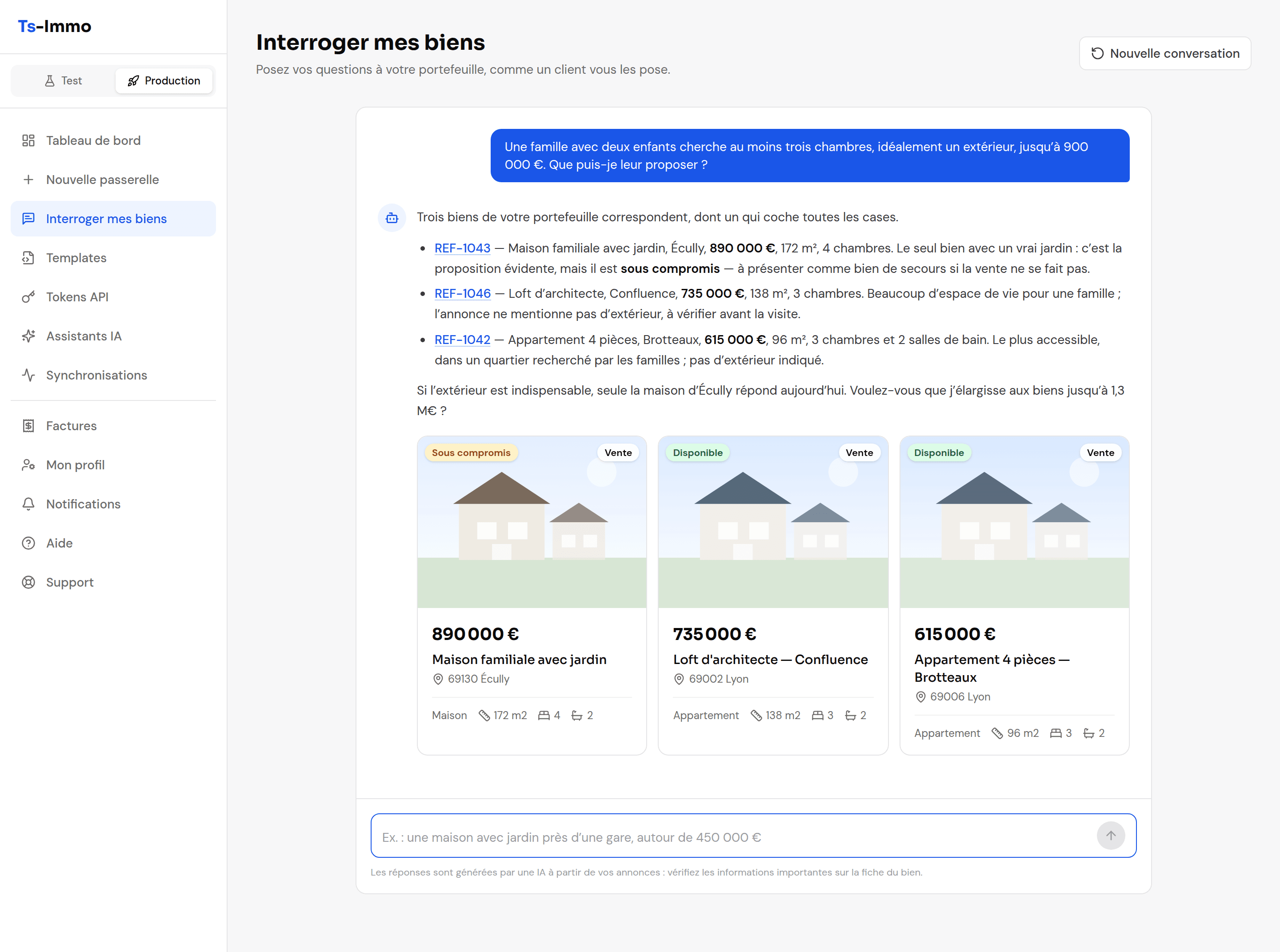
Accessing the assistant
The assistant is included in the Search & navigation extension, the one that also brings natural-language search to your website. As soon as one of your gateways has it, the Ask my listings entry appears in the dashboard menu.
- 1
Open "Ask my listings" in the menu.
If several of your gateways have the extension, pick the one to query at the top of the page. Each gateway has its own conversation.
- 2
Ask your question, or start from an example.
The examples shown on opening are clickable. Enter sends the question, Shift + Enter adds a new line.
- 3
Refine in the same conversation.
"And with no work needed?", "Only those with a garage", "Summarize the second one": the assistant remembers what was said. New conversation starts over.
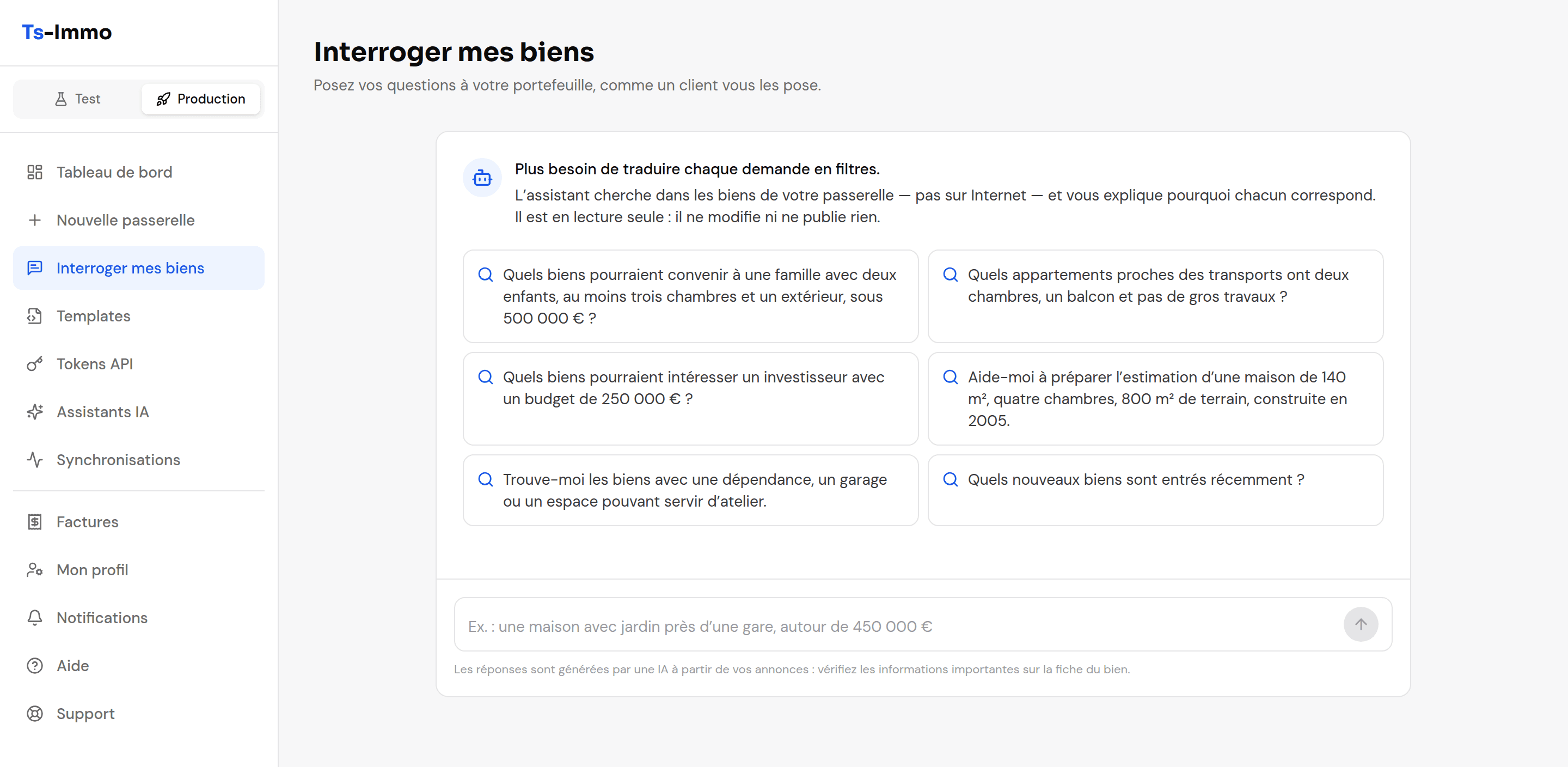
What you can ask
Find listings for a client
- Which listings would suit a family with two children, at least three bedrooms and outdoor space, under €500,000?
- Which flats near public transport have two bedrooms, a balcony and need no major work?
- Which properties could interest an investor with a €250,000 budget?
Surface opportunities
- Which listings have a large terrace without being houses?
- Find listings with an outbuilding, a garage or a space that could serve as a workshop.
- Which new listings came in recently?
Prepare an appointment
- Summarize the strengths and caveats of listing REF-1042 before my viewing.
- Help me prepare a valuation for a 140 m² house, four bedrooms, 800 m² plot, built in 2005.
Good to know
- Read-only. The assistant never edits, publishes or deletes a listing, and never contacts anyone.
- It only knows what the listing says. If a detail is missing from your software (outdoor space, an energy report), it says so rather than making it up — complete the listing at the source and it will come through on the next synchronization.
- Check before sending. Answers are AI-generated: verify prices and features on the property page before passing them on to a client.
- The conversation stays in the tab. It is kept while the tab is open, and is not shared with your colleagues.