Synchronizations
What happens on each run, how often, and how to read a report.
A sync is a full round trip: Ts-Immo queries your software, compares what it receives with what it already knows, then sends the changes to your website. Creations, updates, removals: everything goes through it.
How often?
Frequency depends on your plan: from once a day on the entry plan to every hour on the most complete one. You can always trigger one manually, without limit, from the gateway card.
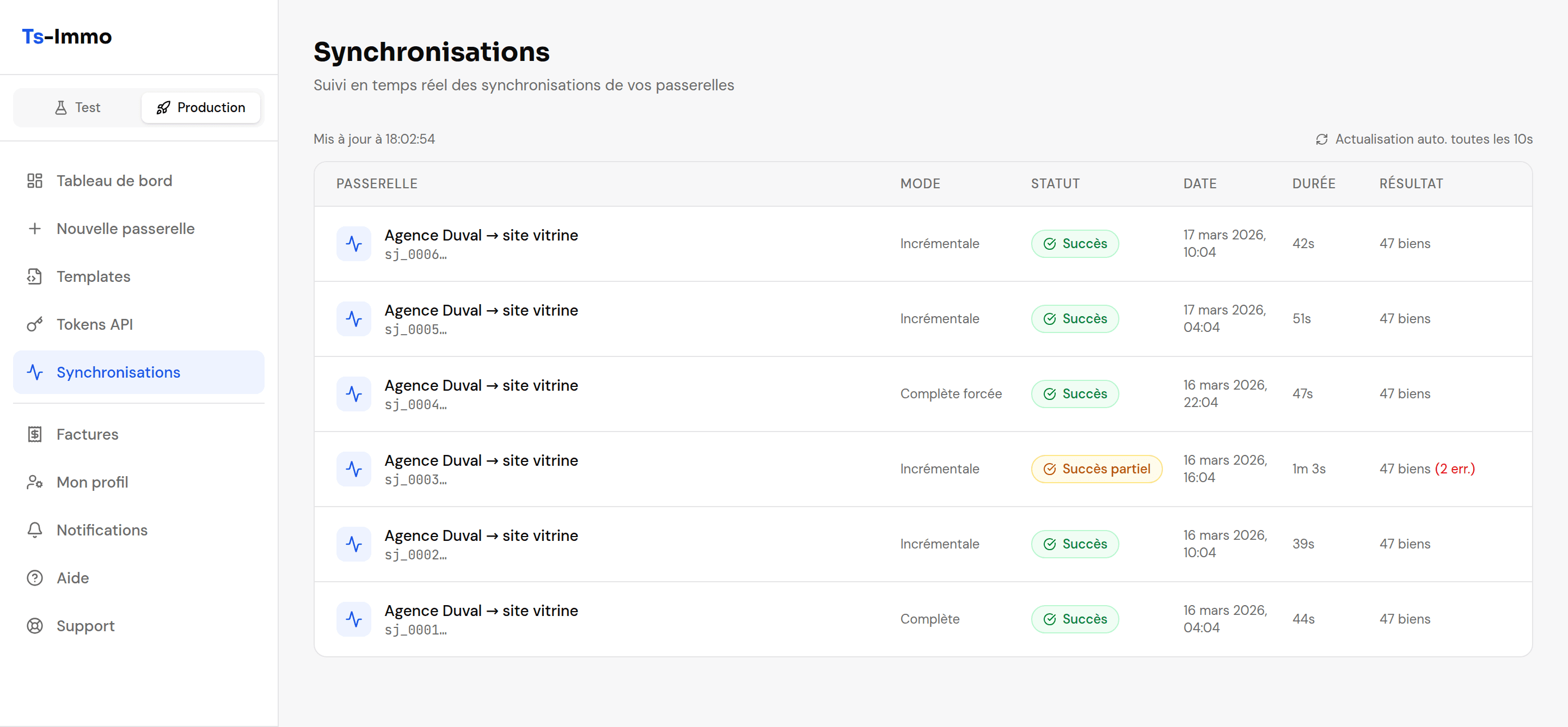
Reading a report
| Status | What it means | What you should do |
|---|---|---|
| Success | Everything went through: your site is up to date. | Nothing. |
| Partial success | Most properties went through, a few were rejected — often a missing photo or an empty required field. | Open the details to see which ones, and fix them in your software. |
| Failed | Nothing went through. Usually a connection issue: changed CRM credentials, unreachable CRM server, or an unavailable website. | Test the connector from Edit gateway. If the test passes, run it again; otherwise contact support. |
| Running | The sync is running. On a large portfolio, expect several minutes. | Wait — no need to start another one. |
Each row also shows three counters: created (newly published properties), updated (existing properties where something changed), and errors (rejected properties).
The cases that worry people
A property does not show up on my site
Three checks, in this order: (1) is the property in the gateway's Properties list? If not, it never came from the CRM — check its status there. (2) If yes, was the last sync successful? (3) If yes, the problem is on the site side: usually the template does not display that property type.
A sold property is still online
Removal happens at the next sync, not instantly. If you are in a hurry, run a manual sync. If it persists afterwards, your software is still sending it as available.
Photos are missing or blurry
Ts-Immo fetches photos as your software exposes them. If they are low resolution at the source, they stay that way. A missing photo makes the sync "partial": the property is published without it.
Several failures in a row
It is almost always a change on the CRM side: a changed password, a revoked API key, a closed FTP access. Test the connector from Edit gateway — the error message will tell you which.