Your properties in Ts-Immo
The list of fetched properties, their statuses, their detail sheet, and removed properties.
Each gateway keeps the list of properties it fetched. This is the intermediate truth: what Ts-Immo understood from your software, before sending it to your website. When in doubt about a listing, this is the first place to look.
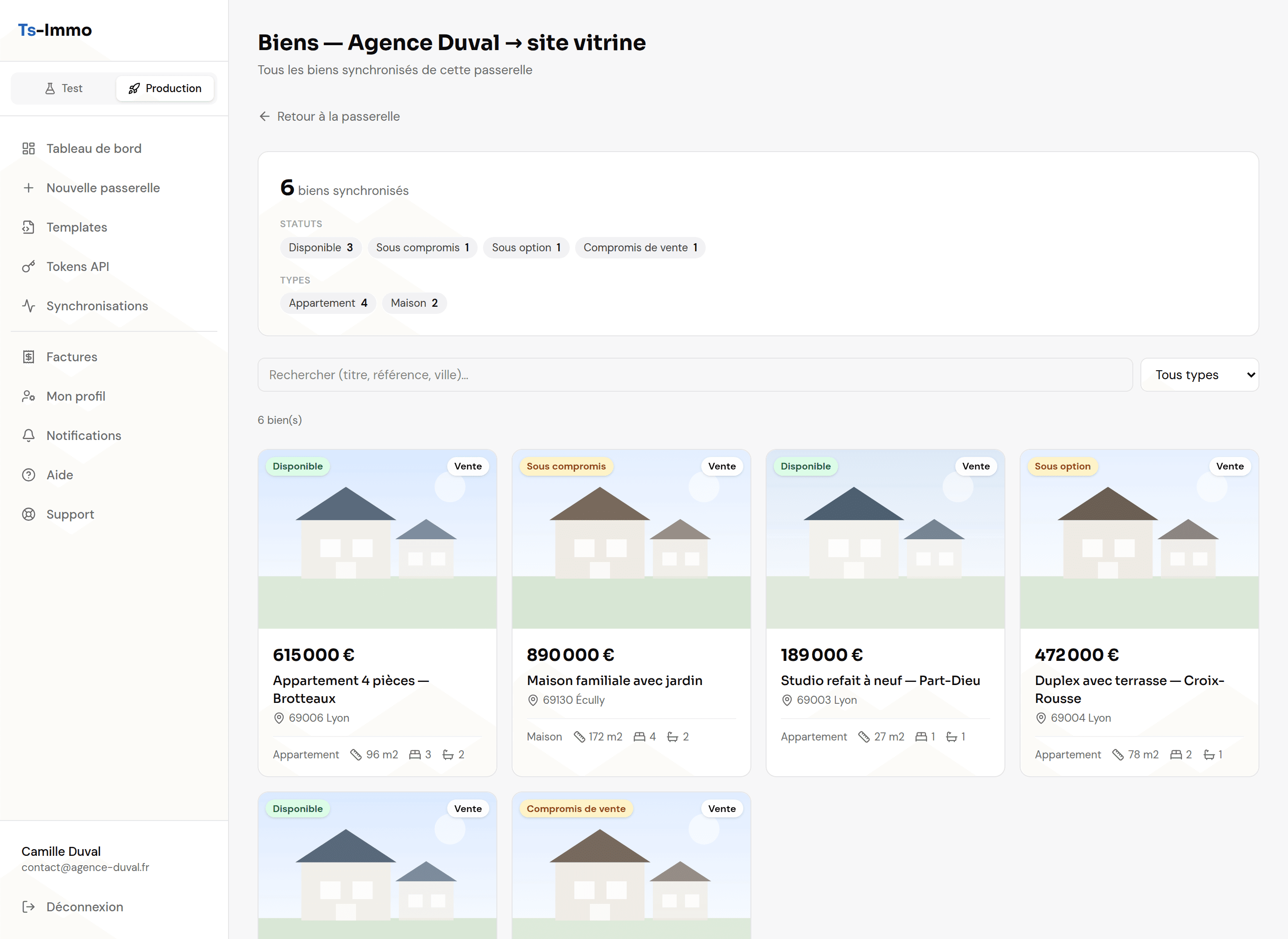
Statuses
The status comes from your software — Ts-Immo neither invents nor changes it. It decides whether the property is published, and how.
| Status | Meaning |
|---|---|
| Available | The property is for sale or rent, visible on your site. |
| Under option / Bid in progress | A negotiation is under way. Many agencies keep these visible. |
| Under contract / Sales compromise | The deal is signed but not completed. |
| Sold / Rented | The deal is done. The property leaves the site at the next sync. |
| Prospect | A property being taken on, not yet mandated. Normally not published. |
| Closed | The mandate ended without a transaction. |
A property in detail
Clicking a card shows everything Ts-Immo fetched: description in each language, price and charges, areas, energy ratings, location, photos, and detailed features.
Valuation, market rent and sellability scoreThe panels that place a property’s price against the market (properties in France).Removed properties
When a property disappears from your software, Ts-Immo does not erase it: it files it under removed properties, with the date and the reason. You keep a trace of what was published.
- Useful to find a listing history, or to understand why a property vanished from the site.
- If one lands there by mistake (a slip in the CRM), just restore it in your software: the next sync republishes it.
The property limit
Entry plans cap the number of synced properties. The counter is on the gateway card ("47 properties" or "18 / 20 properties"). Once the cap is reached, extra properties are no longer published — moving up a plan unlocks them immediately.